 EN
EN


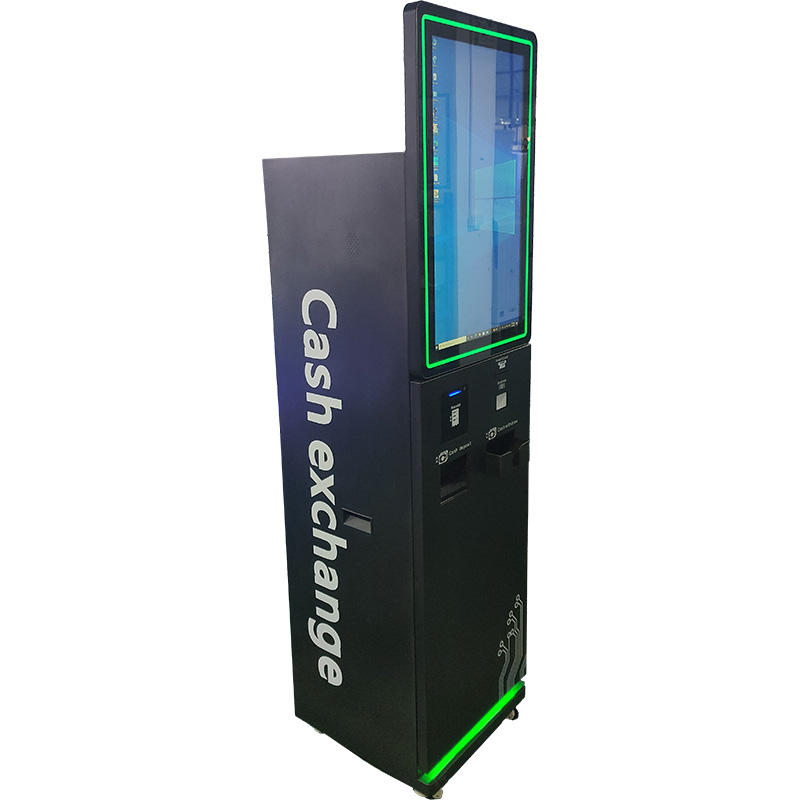
End-to-End Kiosk Design Process
Discovery & Goal Alignment: Translating business objectives into kiosk functionality
Any reputable kiosk design company begins by mapping your business goals to specific kiosk features. During discovery, stakeholders define the primary use case — self-service ordering, wayfinding, or ticketing — and identify target user personas. This phase includes site audits, user interviews, and competitive analysis. The output is a functional requirements document that prevents costly redesigns later. Clear goal alignment ensures the final kiosk solves real operational pain points, not just looks modern.
UI/UX Strategy: Prioritizing clarity, speed, and task completion over visual novelty
A kiosk interface must be instantly understandable. The UI/UX strategy focuses on reducing time-to-task, using large touch targets, simple navigation, and consistent placement of key actions. Visual flair is secondary to efficiency. Designers employ card sorting, wireframing, and prototyping to validate flows before coding. Conversion-rate data shows that even one extra tap can reduce completion rates by 20–30%, so every element is justified by utility. The goal: a user can complete their task in under 30 seconds without assistance.
Technical Integration Planning: Hardware-software alignment for reliability and scalability
Hardware and software choices must be synchronized from day one. A kiosk design company engineers the system by matching peripherals — such as receipt printers, barcode scanners, and payment terminals — to the application stack. This avoids common issues like driver conflicts or processing lag. Scalability is built in through modular software architecture and cloud-ready management platforms. Reliability testing under peak loads ensures the unit handles high transaction volumes without failure. Proper integration reduces field failures and extends the kiosk’s lifecycle.
Accessibility-First Development and ADA Compliance
WCAG 2.1 AA and ADA Title III adherence as non-negotiable design foundations
Professional kiosk design companies treat Web Content Accessibility Guidelines (WCAG) 2.1 AA standards and Americans with Disabilities Act (ADA) Title III requirements as fundamental pillars—not optional additions. These frameworks mandate accessible interfaces that accommodate diverse physical and cognitive abilities. Research indicates that kiosks lacking ADA compliance face significantly higher litigation risks, with ADA-related lawsuits averaging $740k in settlement costs (Ponemon Institute, 2023). Leading providers integrate accessibility audits during prototyping to identify barriers like insufficient color contrast (<4.5:1 ratio) or navigational inconsistencies before deployment. This proactive approach prevents costly retrofits while demonstrating genuine commitment to inclusion.
Inclusive features: voice navigation, adjustable font sizes, tactile feedback, and screen reader support
Modern kiosk interfaces incorporate multimodal accessibility features that transcend minimum compliance thresholds:
- Voice-guided navigation, enabling operation without touchscreen interaction
- Dynamic text scaling, supporting a minimum 16px base font with full 200% zoom capability
- Haptic feedback, confirming input actions for visually impaired users
- Screen reader compatibility, achieved through proper ARIA labeling and semantic HTML
Field testing reveals that users complete transactions 40% faster when tactile cues supplement visual interfaces (UserAbility Lab, 2024). This intentional feature integration transforms kiosks from transactional tools into equitable self-service solutions usable regardless of ability, language proficiency, or age.
Evidence-Based Usability Engineering for Kiosks
A professional kiosk design company applies evidence-based usability engineering to ensure every interaction feels intuitive and efficient. Instead of relying on assumptions, design decisions are guided by established human-factors principles and validated through iterative testing. This approach minimizes user frustration and maximizes task completion rates across diverse audiences.
Touch Target Optimization Guided by Fitts’s Law and Real‑World Responsiveness Testing
Fitts’s Law states that the time required to acquire a target depends on its size and distance. For kiosks, this means buttons must be large enough—typically 45–48 pixels minimum—and placed within comfortable reach zones. Real-world responsiveness testing further verifies that touch targets register accurately under various conditions, such as different light levels or finger moisture, ensuring consistent performance. By systematically optimizing target size, spacing, and feedback latency, designers reduce interaction time and error rates, creating a frictionless user experience.
Cognitive Load Reduction: Minimizing Steps, Eliminating Jargon, and Progressive Disclosure
Kiosk interfaces should demand as little thinking as possible from users. Cognitive load is reduced by streamlining workflows to the fewest essential steps, removing industry jargon, and labeling options with plain language. Progressive disclosure reveals advanced options only when needed, preventing information overload. For example, a parking payment kiosk might first ask for a licence plate, then show payment options, rather than presenting all fields at once. This layered approach keeps the primary task simple while still accommodating diverse user needs.
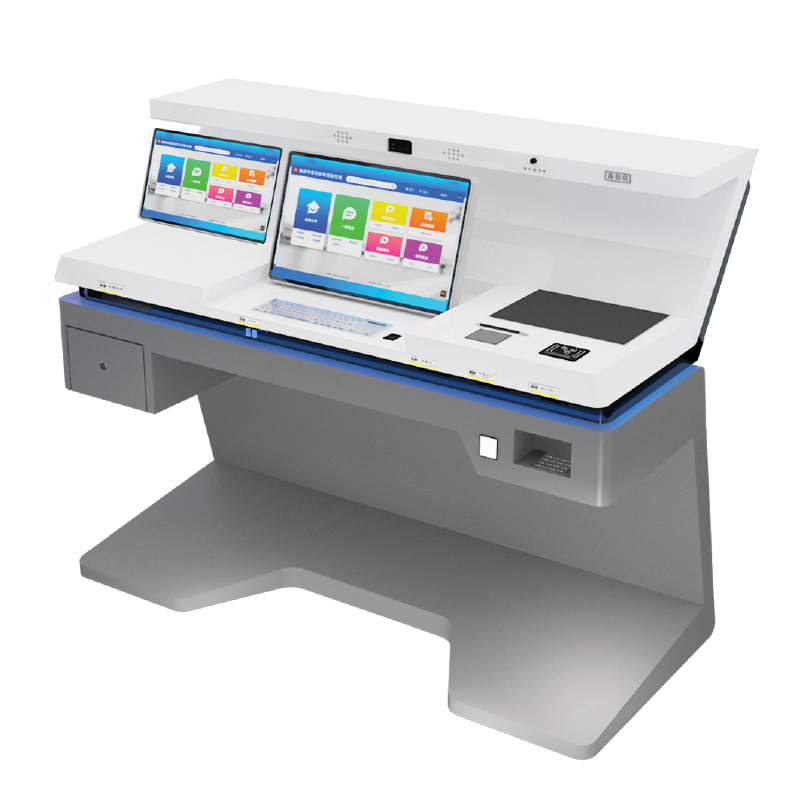
Validation Through Real-World User Testing and Iteration
A professional kiosk design company validates solutions through iterative real-world testing, transforming theoretical designs into resilient user experiences. This evidence-driven approach identifies friction points before scale deployment.
Multi-phase testing: Lab simulations, field pilots, and post-deployment analytics
Validation progresses through three evidence-gathering stages: controlled lab simulations measure baseline interactions using scripted scenarios; field pilots deploy prototypes in actual environments like transit hubs to capture environmental variables; post-launch analytics monitor real-time usage patterns through heatmaps and session recordings. This phased methodology reduces user errors by 22% (Journal of Interaction Science, 2023) by comparing predicted versus actual behaviors.
Persona-driven refinement: Testing across age, ability, and tech-literacy spectrums
Testing cohorts deliberately represent diverse demographics—seniors, mobility-impaired users, and digital natives—to pressure-test interfaces. Teams measure:
- Task completion rates across vision/hearing ability spectrums
- Input latency differences between touchscreen and voice navigation
- Cognitive load indicators during multi-step transactions
This inclusivity-focused validation ensures ADA-compliant kiosks achieve >95% first-time usability across all user segments while maintaining operational efficiency.
FAQ
What is the main purpose of the discovery phase in kiosk design?
The discovery phase aligns business goals with kiosk functionality, defines target user personas, and generates a functional requirements document to prevent costly redesigns.
How does ADA compliance impact kiosk design?
ADA compliance ensures kiosks are accessible to all users, mitigating litigation risks and demonstrating commitment to inclusion through features such as screen reader compatibility, voice navigation, and tactile feedback.
Why is real-world user testing important in kiosk design?
Real-world user testing identifies friction points, validates design assumptions, and refines the kiosk interface to ensure ADA compliance and usability across diverse user demographics.
What are some common accessibility features integrated into kiosks?
Common features include voice-guided navigation, dynamic text scaling, haptic feedback, and screen reader compatibility, ensuring usability for users of different abilities.
How do kiosk designers reduce cognitive load for users?
Kiosk designers reduce cognitive load by minimizing steps, eliminating industry jargon, and implementing progressive disclosure to simplify workflows and prevent information overload.